
작업자 앱
App Settings
A guide to app settings available from the More screen, including language, policies, log out, and account deletion.
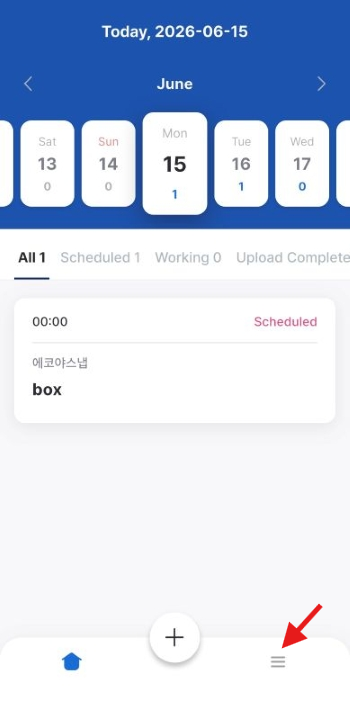
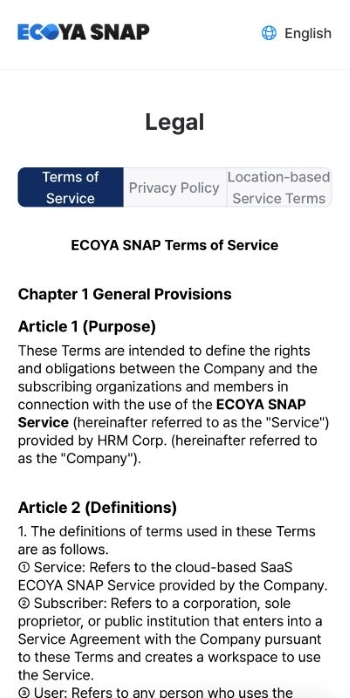
1. Accessing the More Screen
Tap More in the bottom tab bar to open the app settings screen.
2. Changing the App Language
- Select your preferred language from the language menu.
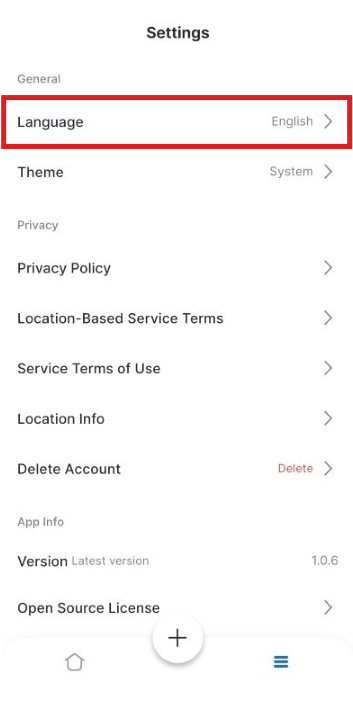
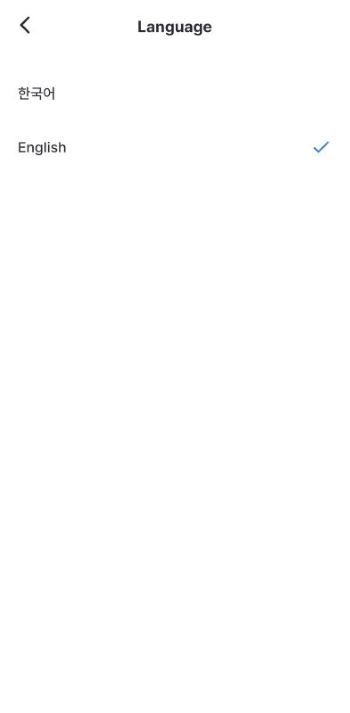
- Supported languages: 한국어 (Korean), English
- The entire app switches to the selected language immediately.
3. Terms and Policies
You can read the following documents directly from the More screen.
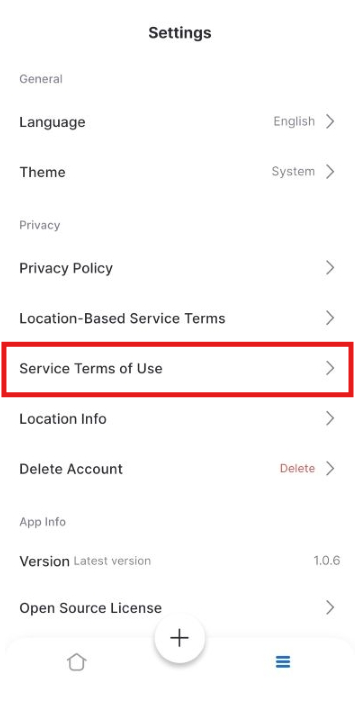
- Terms of Service
- Privacy Policy
- Location Service Terms
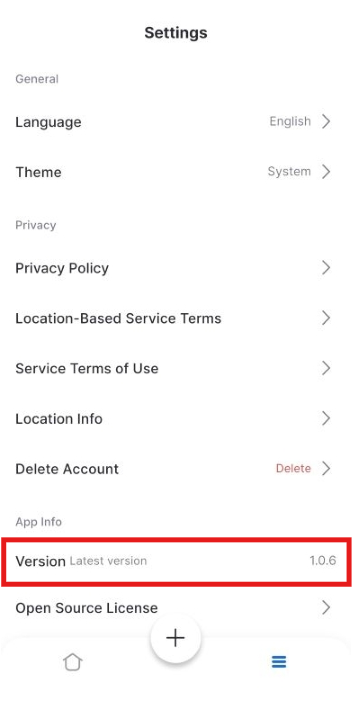
4. App Information
- App version: View the currently installed version number.
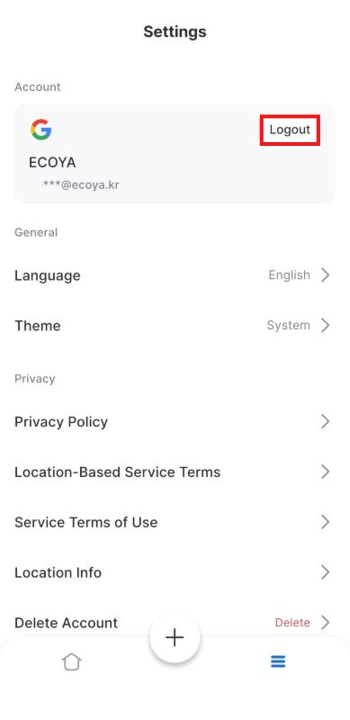
5. Log Out
Tap [Log Out] to sign out of your current account. You will need to log in again via social login next time.
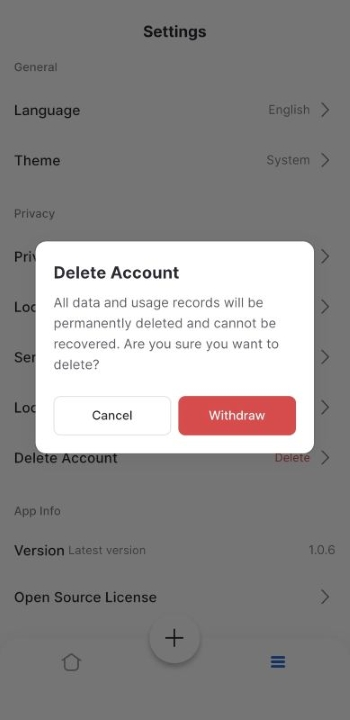
6. Delete Account
- Tap [Delete Account] (shown in red).
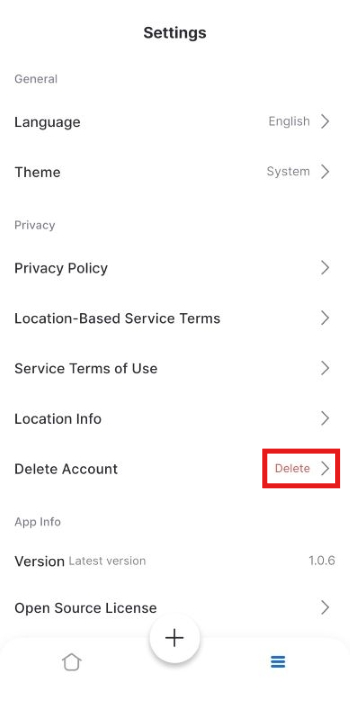
- A confirmation prompt appears.
"All data will be deleted and cannot be recovered if you withdraw."
- Tap [Withdraw] to permanently delete your account and all associated data.
Account deletion is irreversible. Please be certain before proceeding.
Was this article helpful?
What to try next
Getting Started (Enter Your Task Code)How to access the app with a task code, sign in, confirm the task, and start work from the task list.Capturing PhotosHow to capture container photos by type, retake them, and check quality.Container & Seal Number OCR ScanHow to scan container and seal numbers with the camera (OCR) on site for automatic entry.